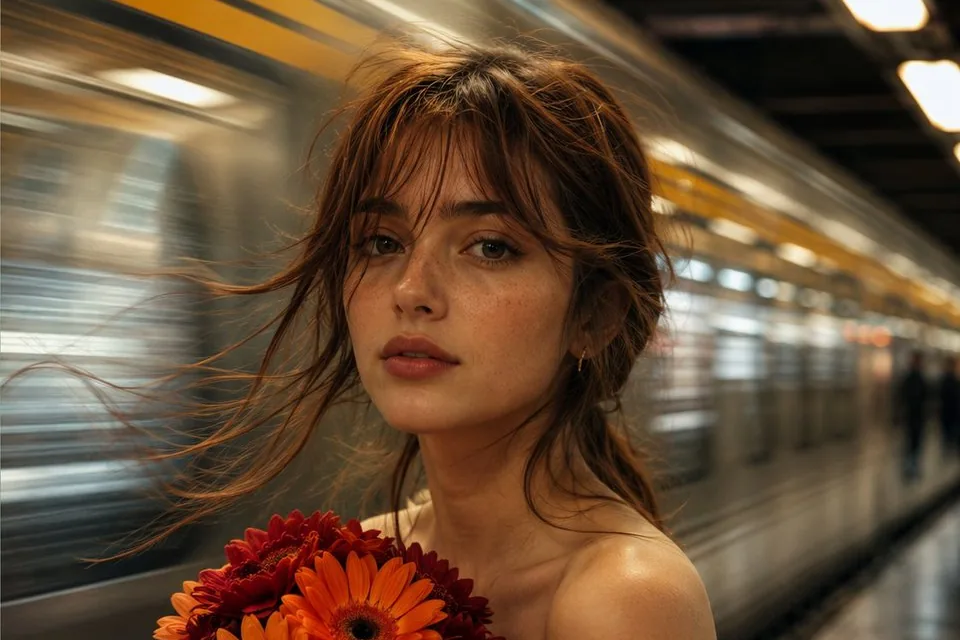
Golden hour skin: getting realistic texture in AI portraits
Plastic skin is the fastest way to say “AI”. Freckles, pores, peach fuzz and the right light fix it. A short checklist.
DDo0p Studio·November 9, 2026· 1 min read

Realistic skin is less about the model and more about what you ask for. Smooth, even, perfect skin reads as fake. Real skin has texture, and texture needs light that skims across it.
The checklist
- Low, warm, side light: "golden hour sun from the side, warm rim light"
- Name the texture: "visible pores, fine peach fuzz, natural freckles, subtle redness"
- No beauty retouch: "unretouched, no makeup look, natural skin"
- A real lens: "85mm, f/2, shallow depth of field"
- A little imperfection: flyaway hairs, a crease in the fabric, a squint against the sun
Example
close portrait of a woman lying in tall golden wheat, eyes closed, braided hair,
low golden hour sun from the right, visible pores and fine peach fuzz, natural freckles,
unretouched skin, 85mm f/2, warm film tones
Keep the same face across a series
If you want the same person in many pictures, build a Character first. Upload or design the face once, and every scene keeps it, golden hour or neon.
#portrait#skin#golden hour#realism
Try it in Do0p Studio
Everything in this post works in Create. Free credits when you sign up.